Loudspeakers
Keyman 🔑 | Crew |
|---|---|
Corey DeLoach | Melissa DeLoach; Mike Vigil; Lilia Vigil; Mike Mundell; Malachi Jenkins |
Your team places and aims six passive loudspeakers, two stage monitors and the active speakers for the lobby and Accounting.
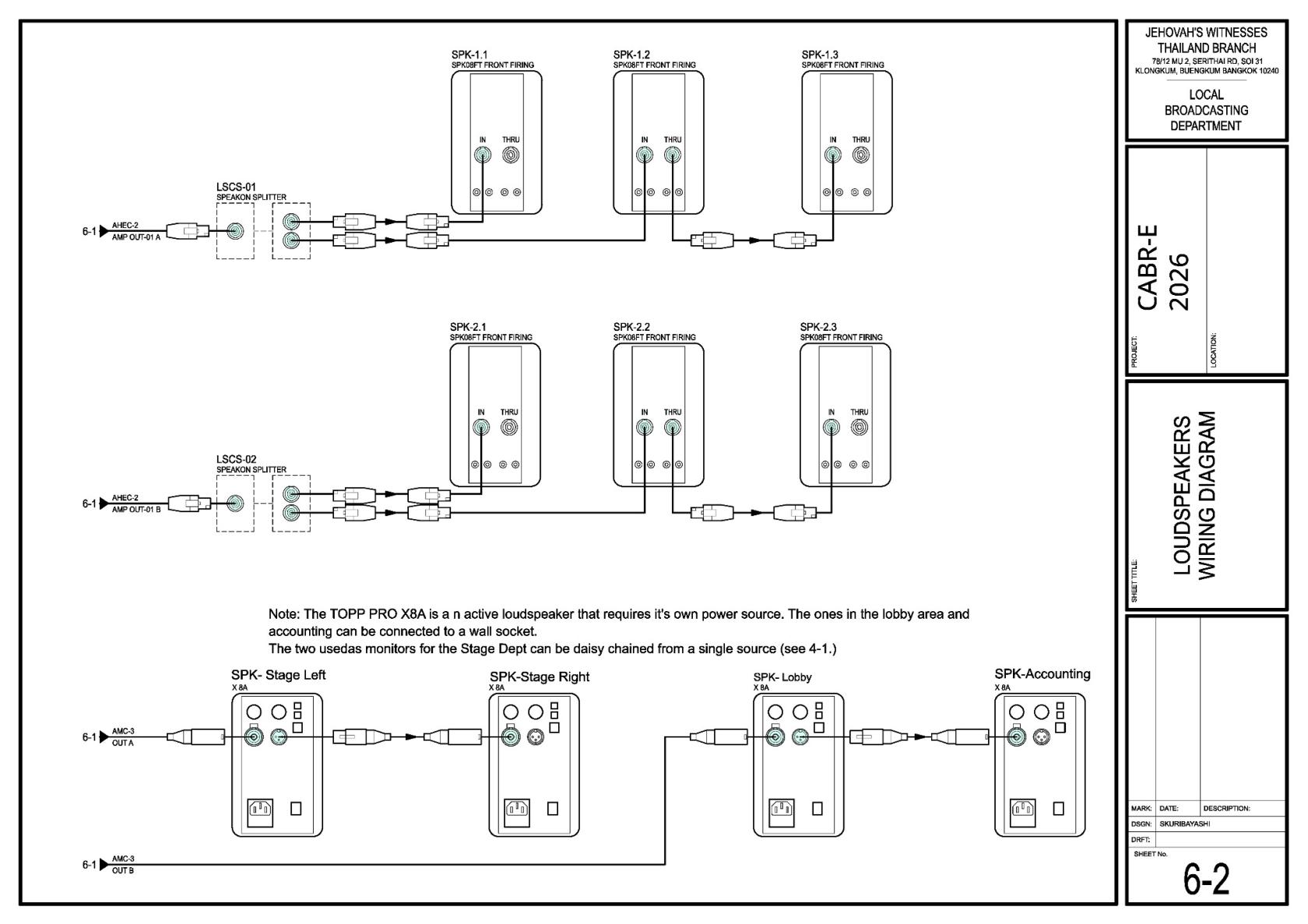
Before starting, meet Corey, review the Loudspeakers DC-83, and open Sheets 1-1, 4-1 and 6-2 in the schematics.
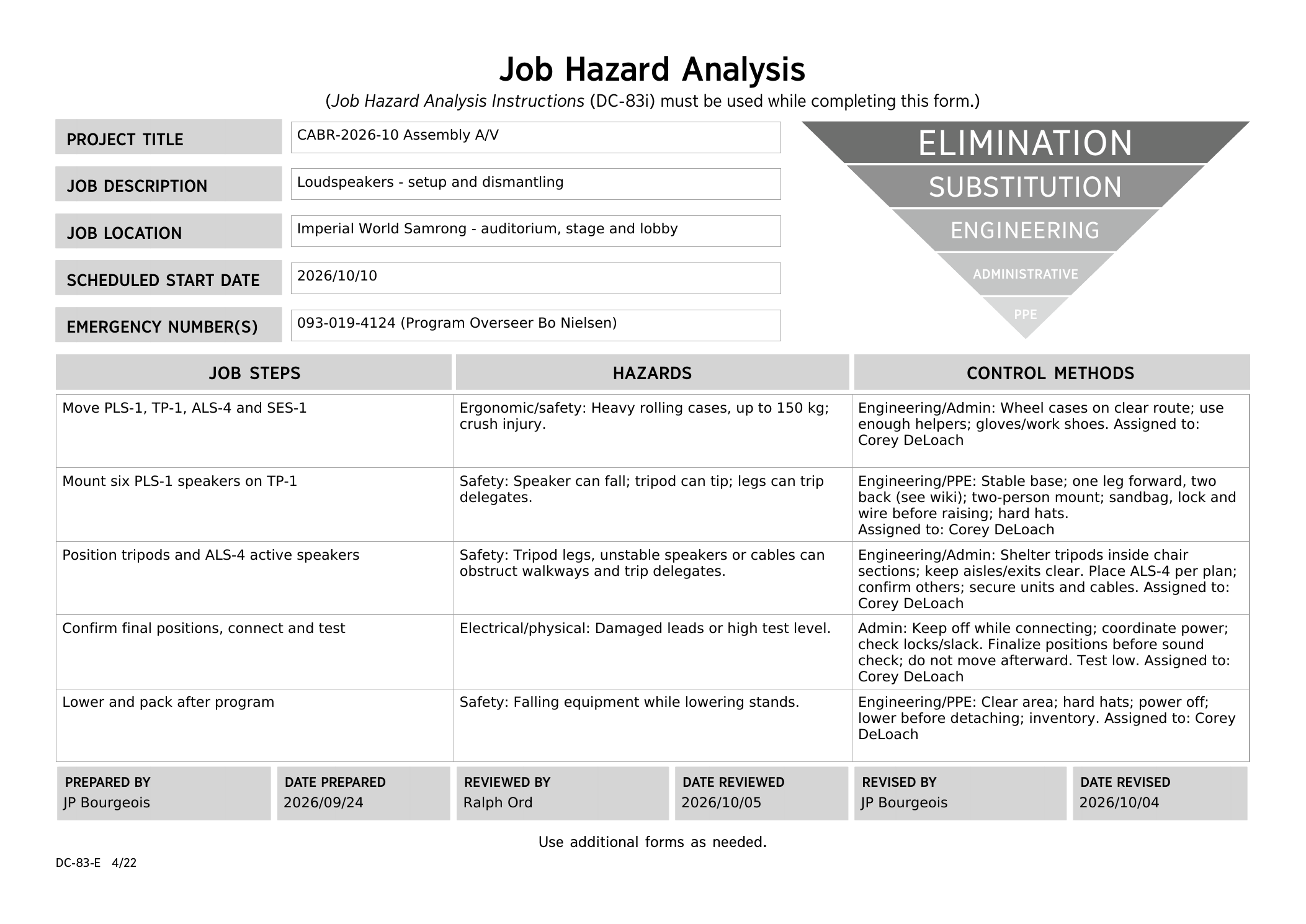
Safety:
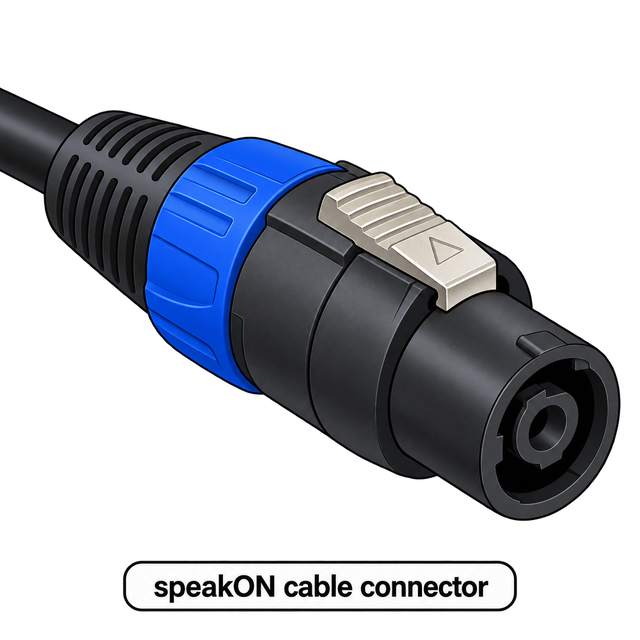
Use two people to mount or remove a loudspeaker. Wear hard hats while working with raised speakers. Keep hands clear of moving parts. Connect the speakON cable before raising, and check every lock is secure before letting go.
🔌 What a speakON connector looks like
What your team does
- With Corey, mark the six passive-speaker positions from Sheet 1-1. Keep exits and walking paths clear.
- Set up the passive speakers using the quick guide below; complete each as far as practical before moving on.
- Place the two stage monitors on the stage floor as shown on Sheet 4-1. Agree the exact positions with Stage.
- Place the lobby and Accounting active speakers on stable surfaces near safe wall sockets. These speakers do not use the passive-speaker tripods.
- For all active speakers: the labelled XLR return cables start at the stage end of the AMC-3 audio multicore (snake) cable. Return A feeds the stage monitors; return B feeds the lobby and Accounting. Audio Cabling routes and labels these runs; your team connects them to the active speakers. Power handles mains connections. Confirm both handoffs and final positions with those teams before final placement and testing. Keep connections accessible and cables clear of walking paths and wet areas.
- Test every speaker with A/V Booth and walk the seating area with Alex. Adjust audio levels only as directed.
Set up each passive loudspeaker — CO-160a quick guide
These steps come from CO-160a Chapter 3, Tripods (TP-1), pages 5–6, Figures 58–59. Use the current CABR-2026 drawings for the actual speaker position, height and aiming.
Current CABR-2026 Sheet 6-2 — loudspeaker wiring
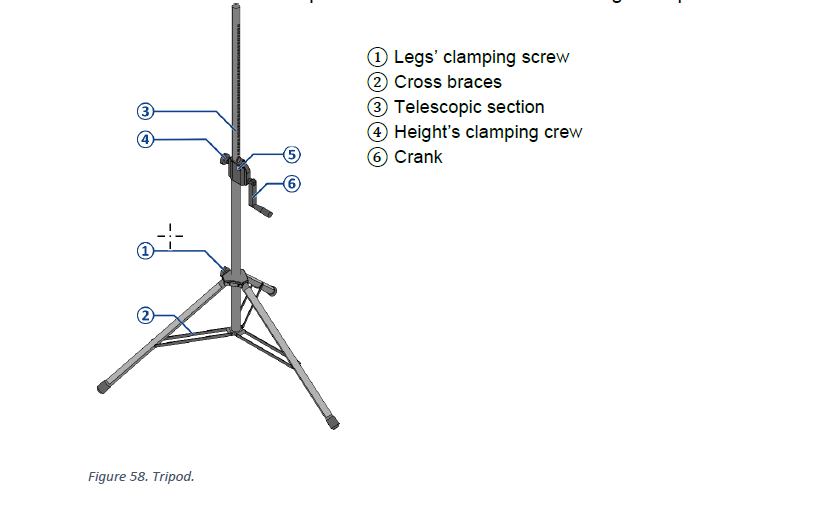
1. Open and secure the tripod — Figure 58
- On an even, stable surface, loosen leg clamping screw ①. Open the legs until cross braces ② are horizontal, then retighten.
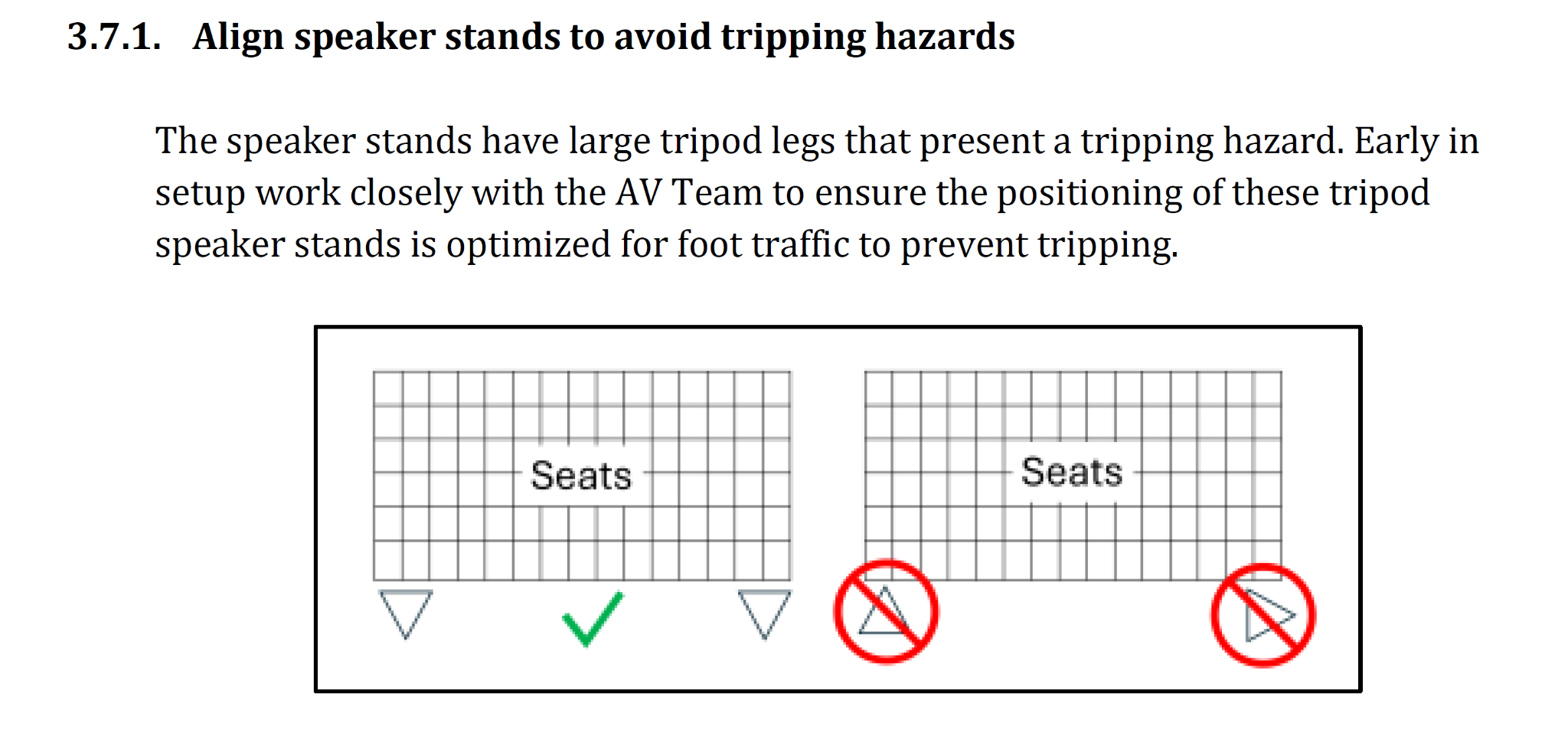
- Keep one leg forward and two at the back, with the loudspeaker’s tilt above the forward leg (as mentioned in the DC-83.)
View tripod orientation image
This image illustrates tripod leg orientation only. The chair blocks do not represent actual placement relative to chairs; use Sheet 1-1 and Corey’s agreed layout.

- Add the 5 kg sandbags Corey assigns.
📘 View CO-160a Figure 58 — TP-1 tripod
2. Mount and aim the loudspeaker — Figure 59
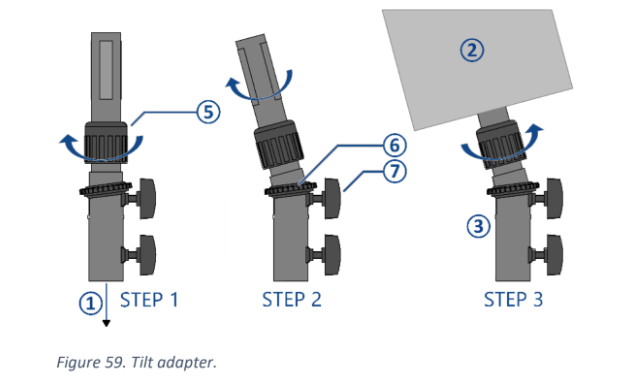
- Set the adapter to about 5° downward and tighten upper clamping screw ⑦. Turn lock ring ⑤ toward OPEN.
- With two people, mount the loudspeaker on the adapter.
- Turn lock ring ⑤ toward CLOSE until secure, then aim according to the current CABR-2026 drawing.
📘 View CO-160a Figure 59 — tilt/angle adapter
3. Connect the speakON cable before raising
- Connect the correct labelled speakON cable from Audio Cabling before raising the loudspeaker.
- Leave enough slack to avoid pulling on the connector; keep the cable clear of the tripod mechanism and walkways.
- If the cable is not ready, leave the tripod lowered and return to it later.
4. Raise and lock the tripod — Figure 58
- Loosen height clamping screw ④. Hold button ⑤ while turning crank ⑥ to raise telescopic section ③ to the height in the table below.
- Release button ⑤ and continue cranking until the safety pin clicks into place.
- Tighten height clamping screw ④.
- Check the tripod, adapter, loudspeaker, sandbags, speakON cable and all locks before moving away.
For the keyman
Group | Position and height | Aim — about 5° down |
|---|---|---|
Front: SPK-1.1, 1.2, 1.3 | About 4 m from the first row; normally 2.5 m high, with 1.2 at 2.4 m | Toward sections A, B and C |
Rear: SPK-2.1, 2.2, 2.3 | About 3.5 m from the first row; 2.5 m high | Toward sections D, E and F |
If a raised speaker is above a walkway, keep at least 2.1 m clear underneath or use a barrier.
When your speaker work is finished: Check with Lacey and help Audio Cabling with the remaining cable work.
Roll the heavy PLS-1, TP-1 and ALS-4 cases with enough helpers. See Safety, dismantling and references for Sunday’s confirmed assignments and sequence. Wait until the audience has left, power is off and the teardown briefing is finished. Lower the tripod completely before two people remove the loudspeaker.