
Audio cabling
| Keyman 🔑 | Crew |
|---|---|
| Lacey Cox | Ruben Martinez; Zabrina Bourgeois; Karina Li; Bethany Mundell; Layo Kirby; TaSanee Kirby; Mike Mundell; Ronan Gav Budd; Meyana Barnhart |
Your team runs, labels and protects the main audio cabling. Loudspeakers places the speakers, Stage runs the XLR microphone cables on the stage, and Power runs all electrical cables. Make sure Stage has the correct XLR cables and AMC-3 handoff, confirm their stage run is complete, and help if they need it.
Before starting, meet Lacey, review the team's DC-83, and open the schematics. Wear work shoes and gloves. Keep exits clear and cover every floor crossing.
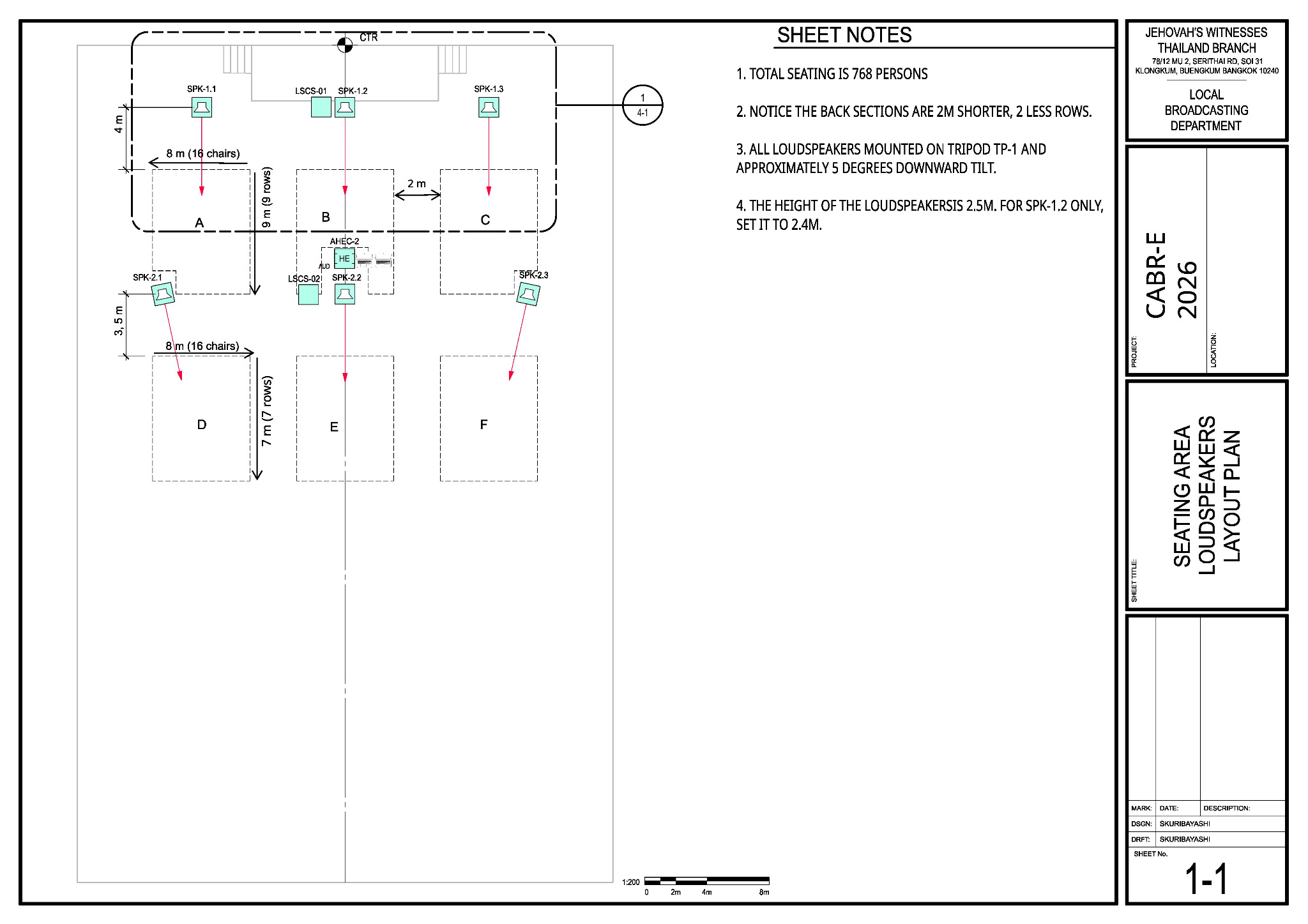
Main reference — Sheet 1-1: seating and loudspeaker layout
Use Sheet 1-1 as the main reference for the A/V booth, loudspeaker positions and cable destinations.
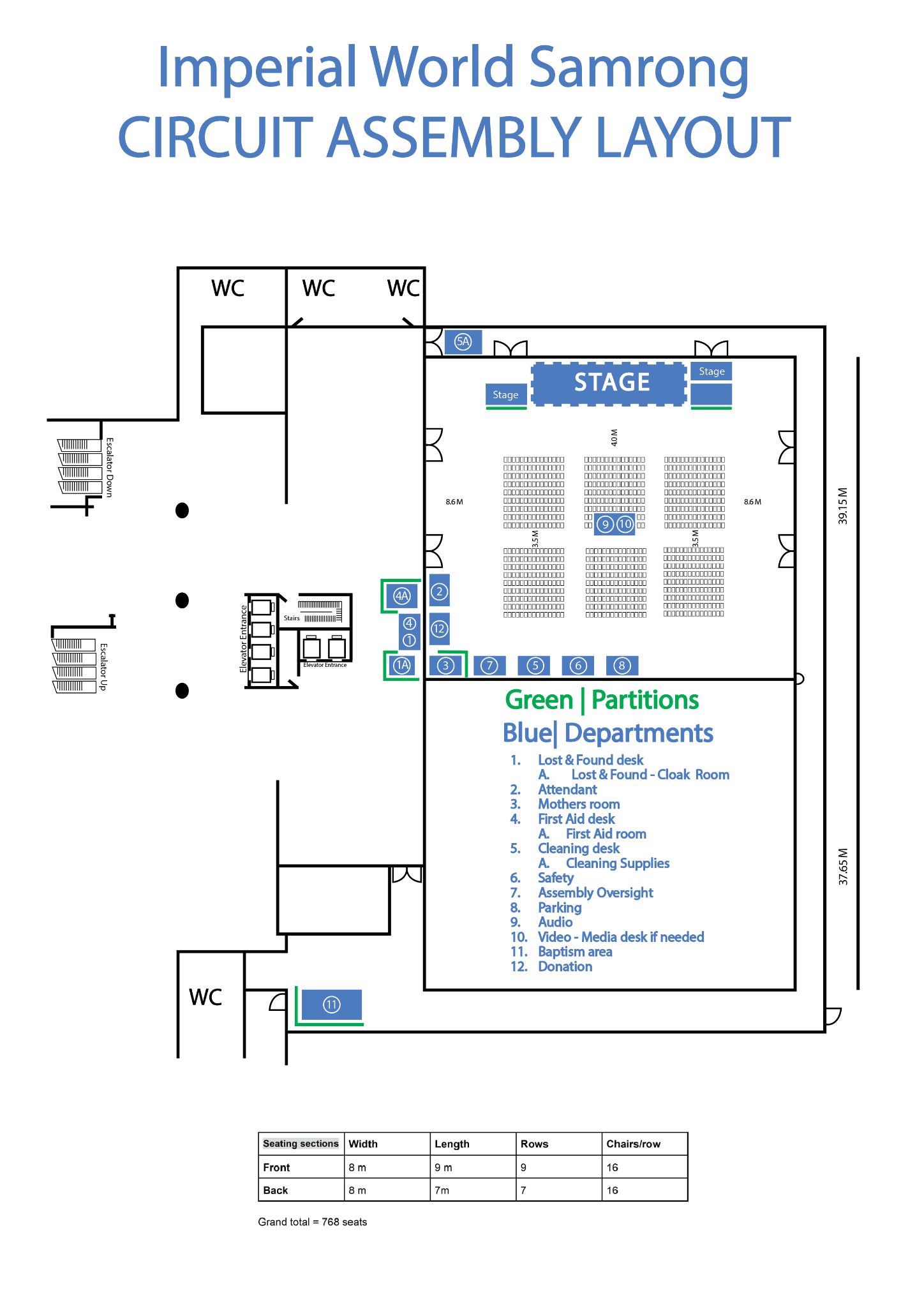
🗺️ View venue layout — departments and room orientation
Use this only to orient yourself to departments, partitions and room features. Use the CABR schematics for A/V placement.
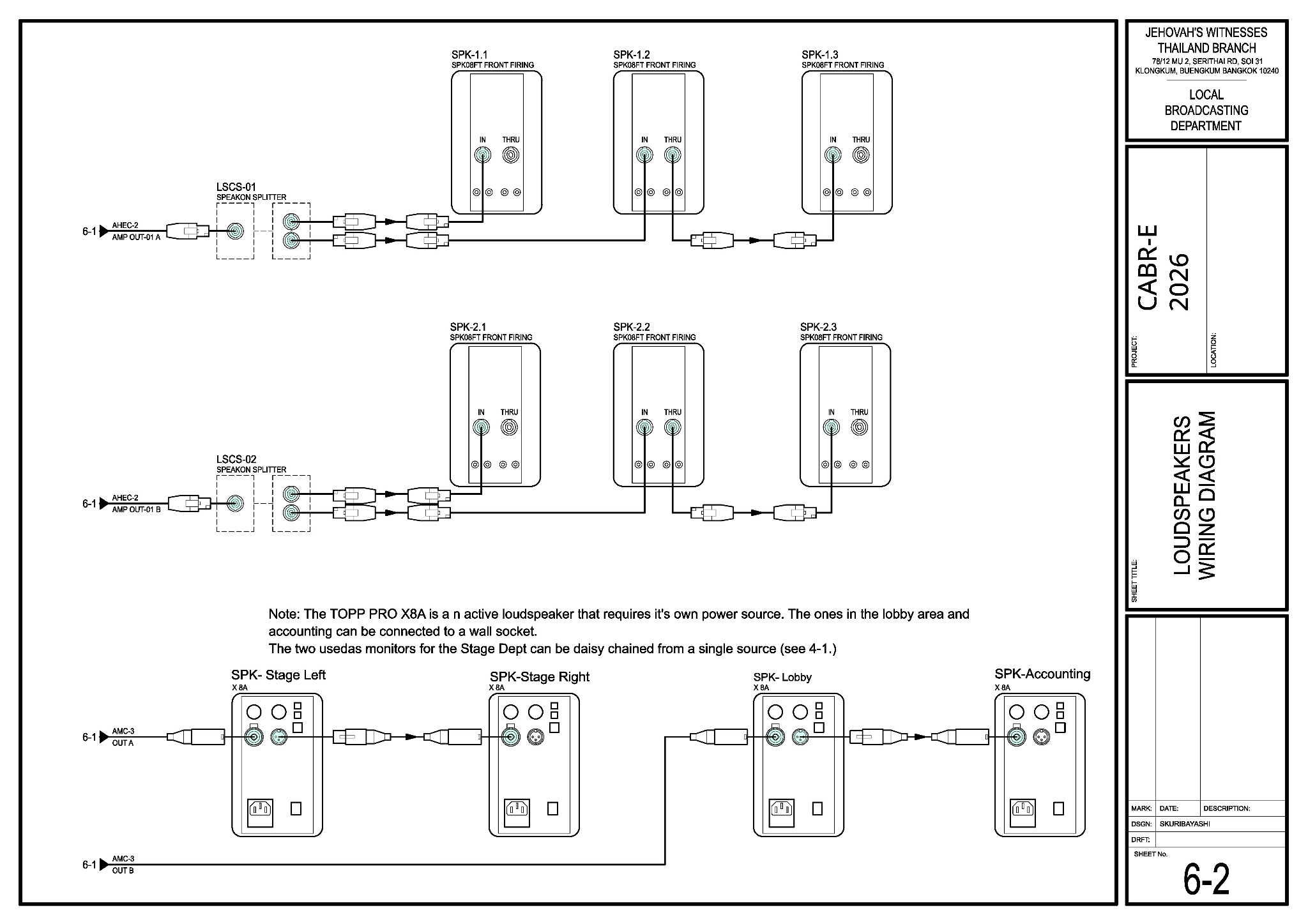
🔌 View Sheet 6-2 — loudspeaker wiring and splitters
There are two speakON splitters: LSCS-01 feeds the front loudspeaker group and LSCS-02 feeds the rear loudspeaker group.
What your team does
- Start at the stage and carefully lay the 30 m AMC-3 audio multicore (snake) cable toward the A/V booth. Avoid sharp bends and protect its connectors.
- Run the labelled speakON loudspeaker cables to the six passive-speaker positions with the Loudspeakers team. LSCS-01 and LSCS-02 are the two speakON splitters: LSCS-01 serves the front group and LSCS-02 serves the rear group. Leave enough slack and hand over each speakON cable before the speaker is raised.
- Run the two XLR active-speaker lines: return A for the stage monitors and return B for the lobby and Accounting.
- Stage runs the four XLR microphone cables between AMC-3 inputs 1–4 and the microphone positions. Make sure the correct XLR cables and AMC-3 handoff are ready, then confirm with Stage that the routing and labels are complete. Help them if needed.
- Run XLR cables from the venue wireless-microphone receivers to AMC-3 inputs 5–6.
- Cover all crossings with cable covers, mats or carpet. Hand the labelled ends to the A/V Booth, Stage and Loudspeaker teams, then help trace any line that fails its test.
Cable routing reminders
Safety:
Accounting is beside the baptism area. Agree the route with the Baptism overseer and keep every cable away from wet floors.
For the keyman
| Run | Route | Drawing |
|---|---|---|
| AMC-3 | 30 m AMC-3 audio multicore (snake) cable: stage box → AHEC-2 at the booth | 4-1, 6-1 |
| Front speakers | speakON: Amplifier A → LSCS-01 (speakON splitter) → SPK-1.1 / 1.2 → 1.3 | 1-1, 6-2 |
| Rear speakers | speakON: Amplifier B → LSCS-02 (speakON splitter) → SPK-2.1 / 2.2 → 2.3 | 1-1, 6-2 |
| Stage monitors | XLR: AMC-3 return A → Stage Left → Stage Right | 4-1, 6-2 |
| Lobby / Accounting | XLR: AMC-3 return B → Lobby → Accounting | 6-2 |
When the routes are protected and the line tests pass, tell Lacey and Alex. Sunday teardown assignments will be added later; wait for the teardown briefing before removing anything.