
Stage and microphones
Saturday stage setup
| Keyman 🔑 | Crew | Stage overseer |
|---|---|---|
| Jason Kirby | Gerald Berard; SuMalei Kirby; Matthew Chappelle; Cameron Korell | Jeff Korell |
Your team prepares the stage microphones and stands, runs the on-stage XLR microphone cables, and helps participants use the microphones correctly.
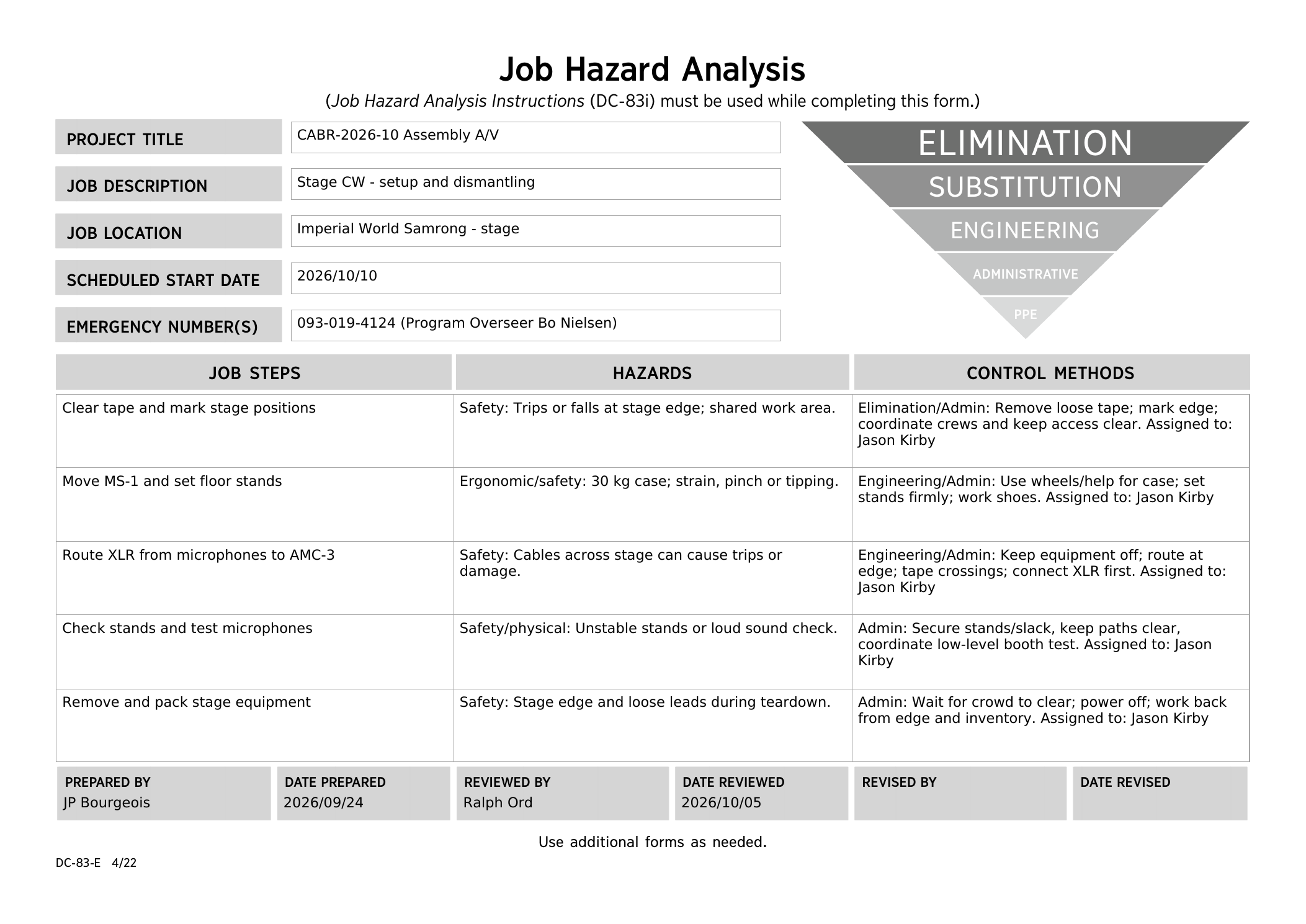
Before starting, meet Jason, review the team’s DC-83, and open Sheets 4-1 and 6-1 in the schematics.
Safety:
Watch the stage edge and keep access clear. Coordinate with Power and Loudspeakers in the shared work area. Roll the 30 kg MS-1 case with helpers and wear work shoes. Keep equipment switched off while connecting the XLR cables.
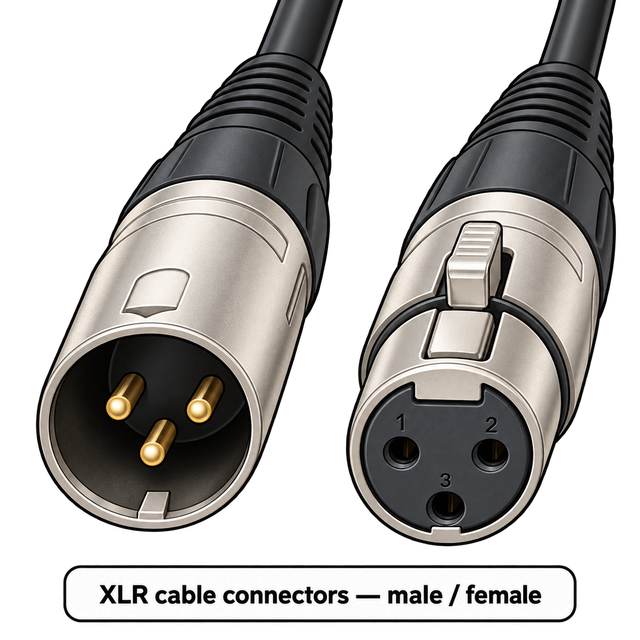
🔌 What XLR connectors look like
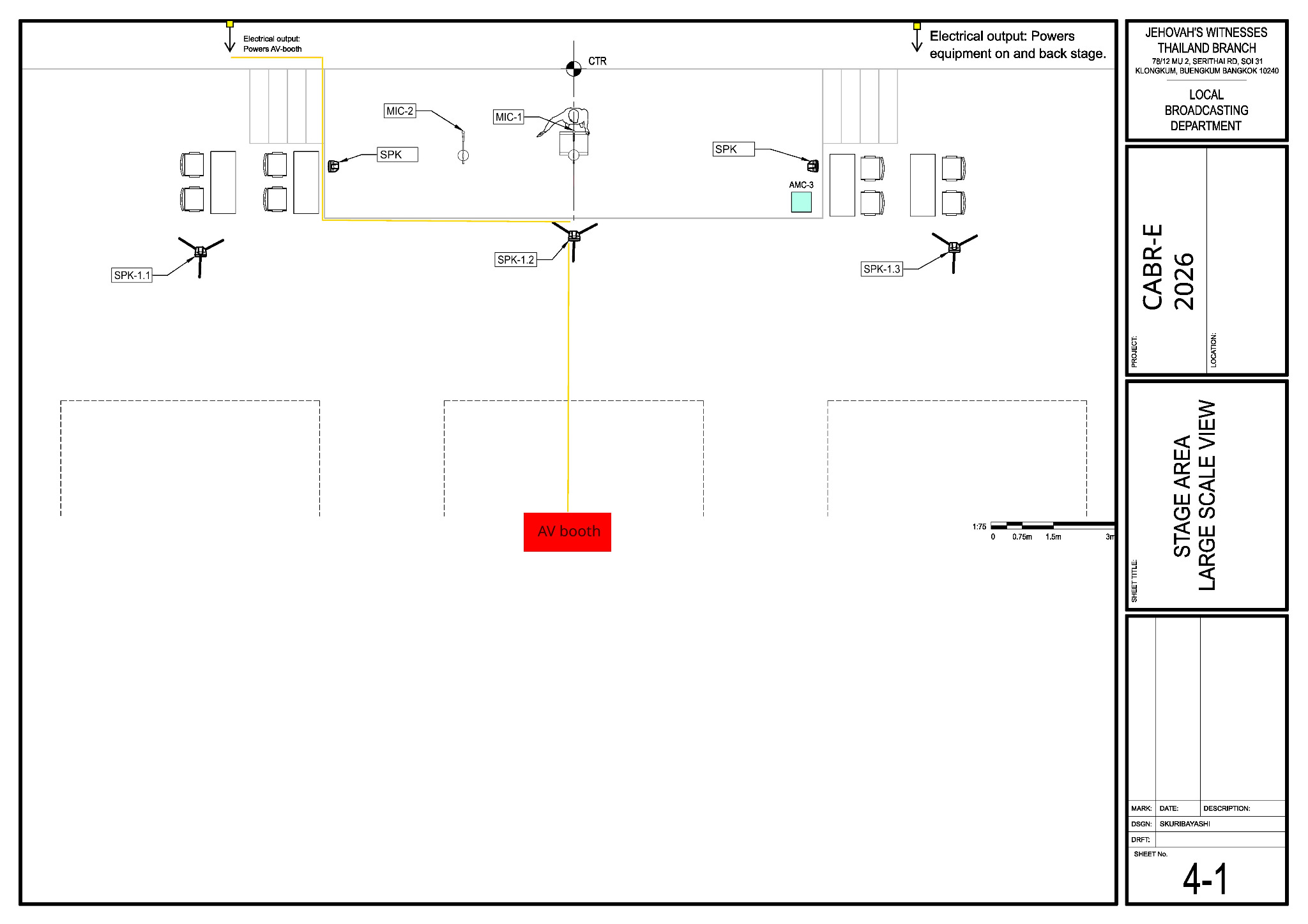
Main reference — Sheet 4-1. Use it for microphone, lectern and stage-monitor positions and on-stage cable routes.
What your team does
- Remove old or loose tape and mark the stage edge. Confirm the lectern, participant and microphone positions with Jeff.
- Run the four XLR microphone cables between AMC-3 inputs 1–4 and the microphone positions. Confirm the handoff, routes and labels with Audio Cabling; ask for help if needed.
- If the XLR cable has attached Velcro, open it and roll the cable off; do not remove the Velcro.
- Route the XLR cables neatly along the stage edge and away from participant walking paths.
- Where practical, do not run XLR audio cables parallel to power cables. If they must cross, cross at right angles.
- Use only small pieces of tape where needed, and use proper cable protection anywhere an XLR cable crosses or enters a walkway.
- Label each XLR cable at the AMC-3 end and again near its microphone position.
- Connect each XLR microphone cable to its assigned AMC-3 input (1–4) and to the matching microphone before mounting the microphone. Set each stand firmly and tape the cable flat, away from the stage edge.
- Agree the two stage-monitor positions with the Loudspeakers team.
- Check stand stability and cable slack, then test every microphone position at low level with Alex and A/V Booth. Train the stage assistants on microphone placement and handoffs, including the venue wireless microphones.
- Attend the program walk-through and follow the S-343 Stage Layout for chairman microphone positions, participant entry and exit, interviews, demonstrations and other stage cues. Before each participant goes on stage, give the required reminders from CO-160 Appendix F and confirm where the participant should stand or sit.
Sunday program assignments
Stage-side note: Participant side is Stage left; chairman side is Stage right.
Stage key men: Jason Kirby — morning; Matthew Chappelle — afternoon.
Additional Sunday Stage crew: Josh Norton.
| Position | Morning | Afternoon |
|---|---|---|
Chairman side mic (Stage right) | Gerald Berard | Corey DeLoach |
Chairman side headset (Stage right) | Jason Kirby | Matthew Chappelle |
Participant side mic (Stage left) | Ruben Martinez |
|
Participant side headset (Stage left) | Mike Vigil | Jeff Korell |
Microphone positions
| Microphone | Position | AMC-3 input |
|---|---|---|
| MIC-1 | Lectern | 1 |
| MIC-2 | Floor stand beside the lectern | 2 |
| MIC-3 and MIC-4 | As Jeff directs | 3 and 4 |
| Venue wireless microphones | Roving use as assigned | Receivers on 5 and 6 |
Baptism arrangements and the exact positions for experiences are confirmed at the program walk-through.
When your stage setup is finished: Check with Lacey and help Audio Cabling with the remaining cable work.
Sunday dismantling
Stage dismantling keyman: Jeff Korell. Crew: Gerald Berard, SuMalei Kirby, Matthew Chappelle and Cameron Korell. See the full dismantling team roster. Wait for the audience to clear and the teardown briefing to finish; confirm power is off. Work back from the stage edge while removing microphones, tape and stands, and inventory the equipment as it is packed.